

Meta Handover Protocol
Learn how to set up the Meta Handover Protocol for Messenger and Instagram integration with SME Bot.
Navigate to https://www.facebook.com/
In your Facebook Page, click your profile image at the top right, then select "Settings & Privacy" from the dropdown.
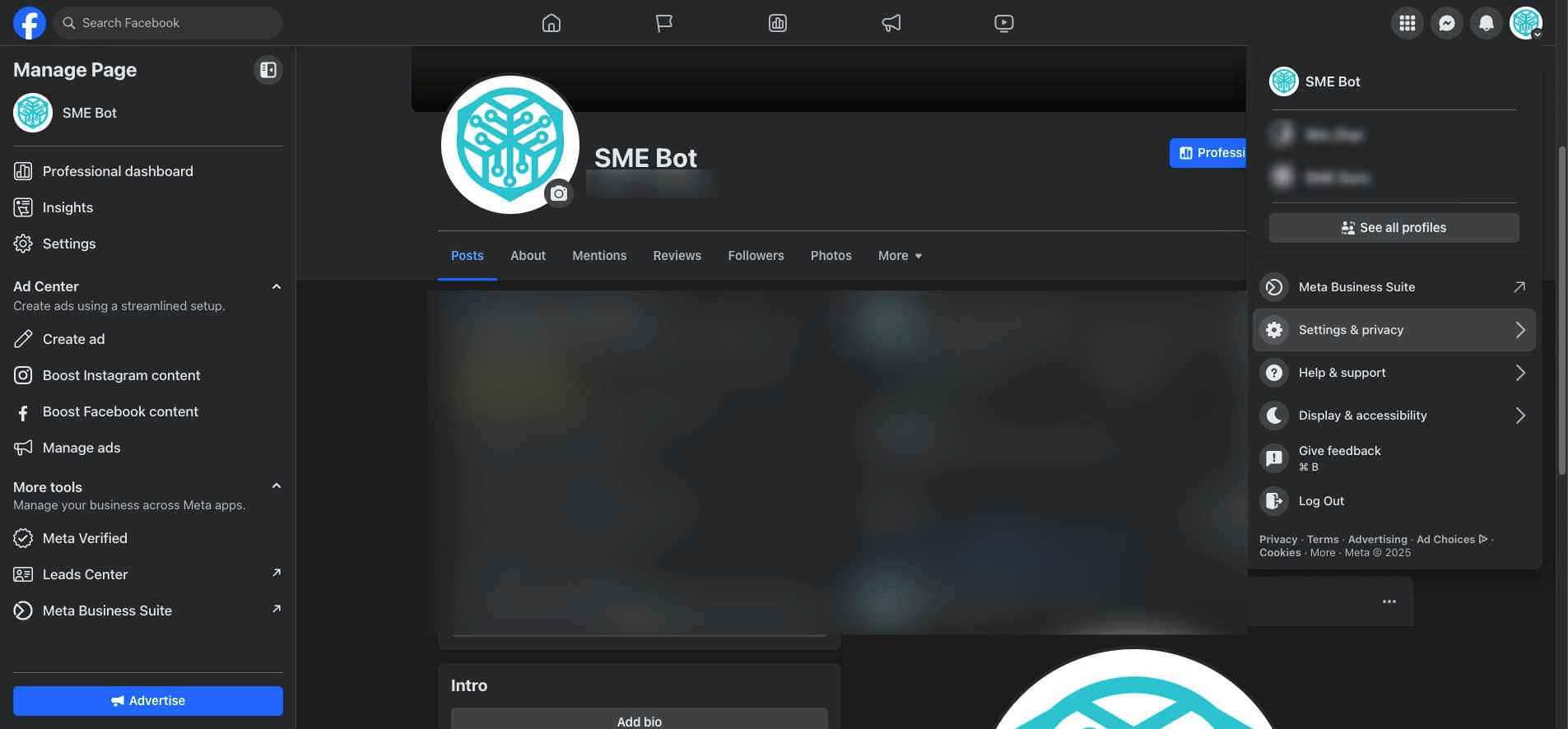

Click "Settings"
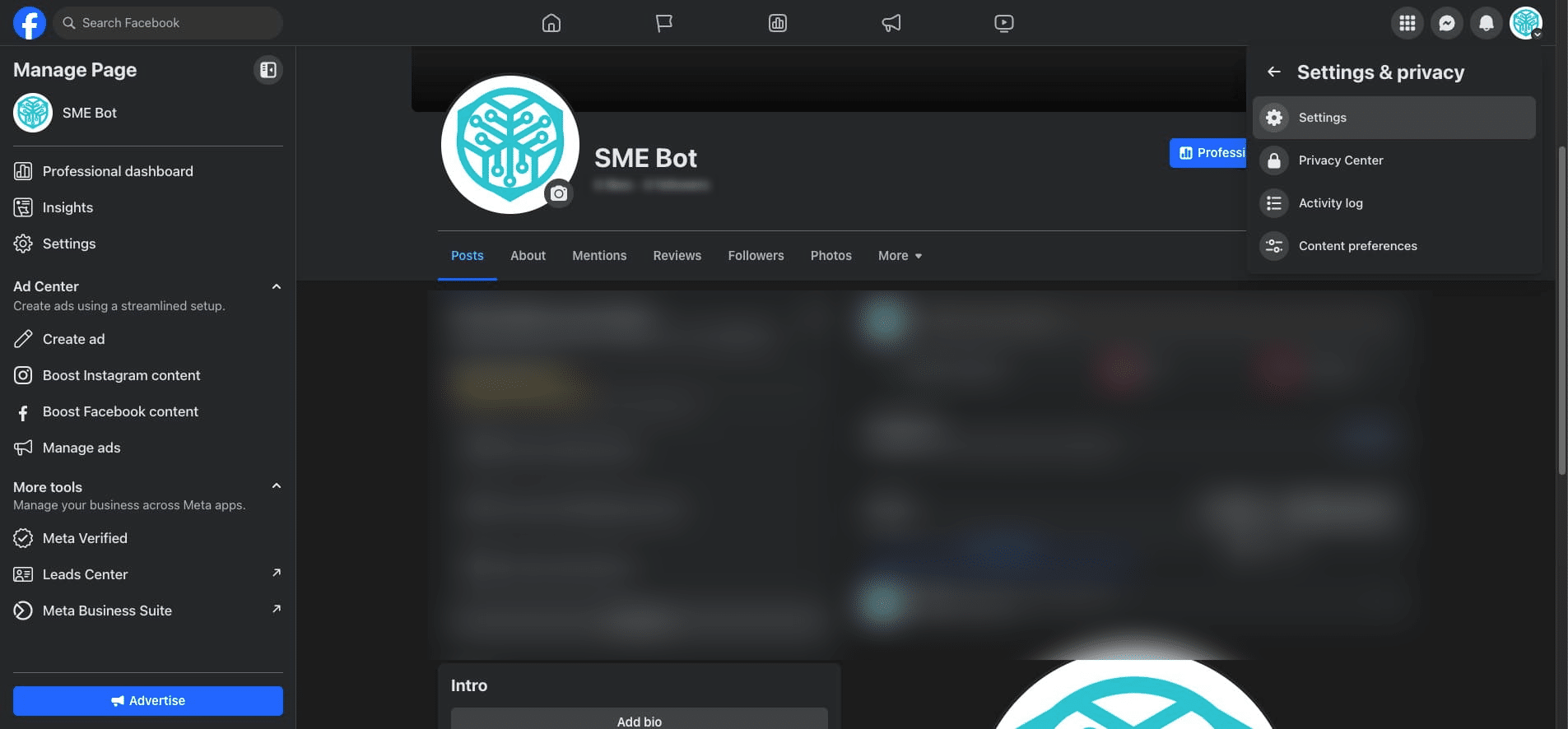
Scroll down in the left navigation menu. Click "Page setup"
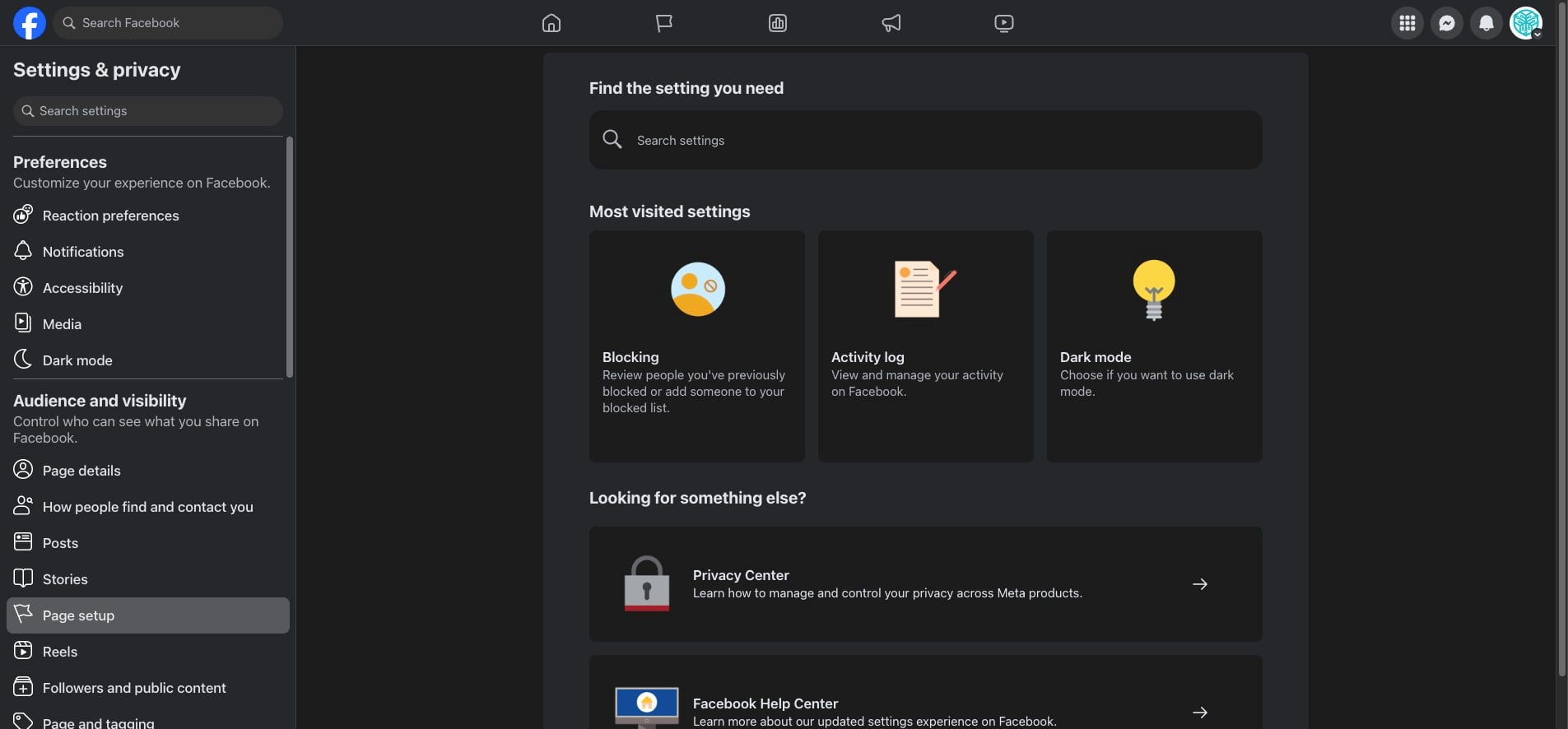
At Advanced Messaging, Click on "View".
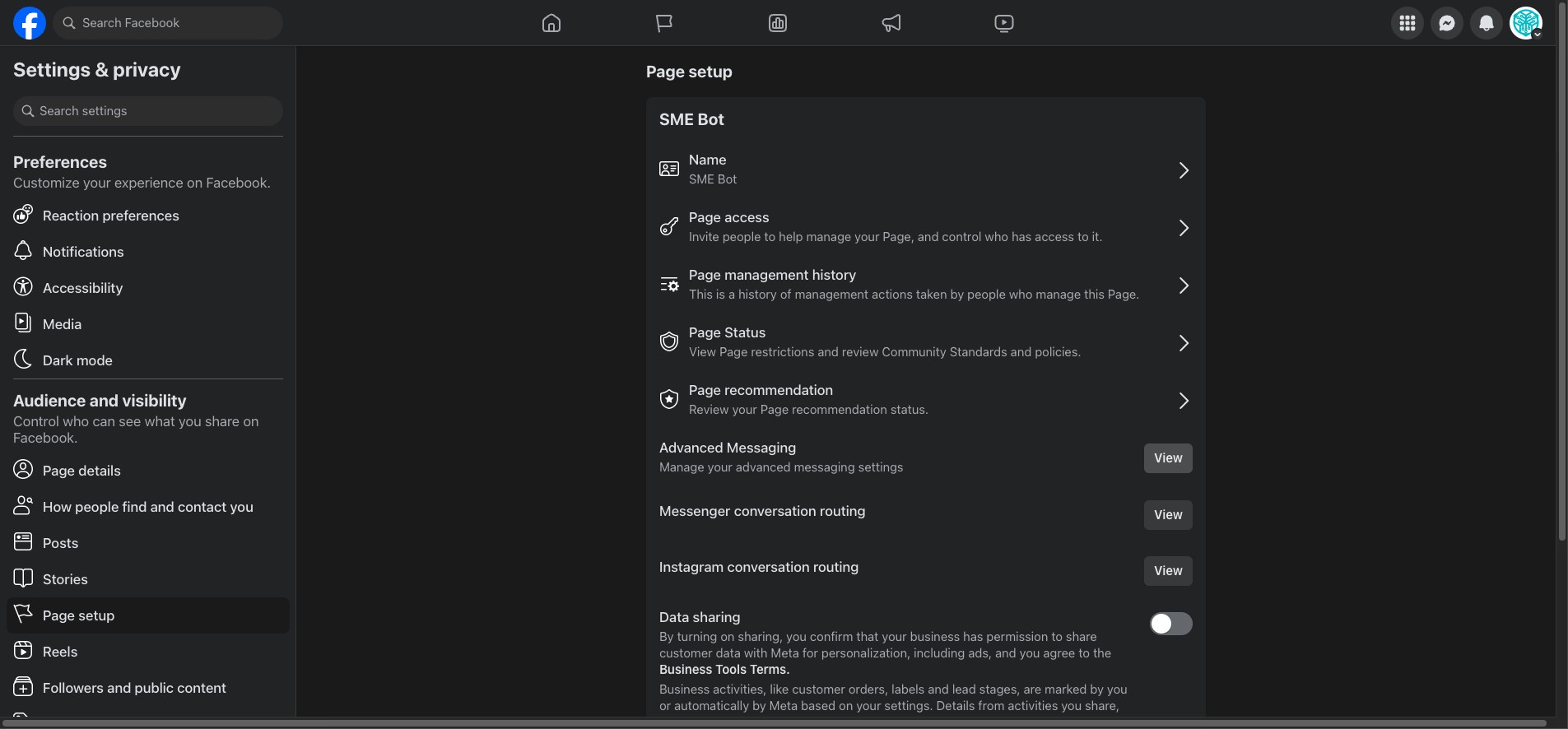
In the App Settings, at Messenger Receiver or Instagram Receiver, click "Configure".
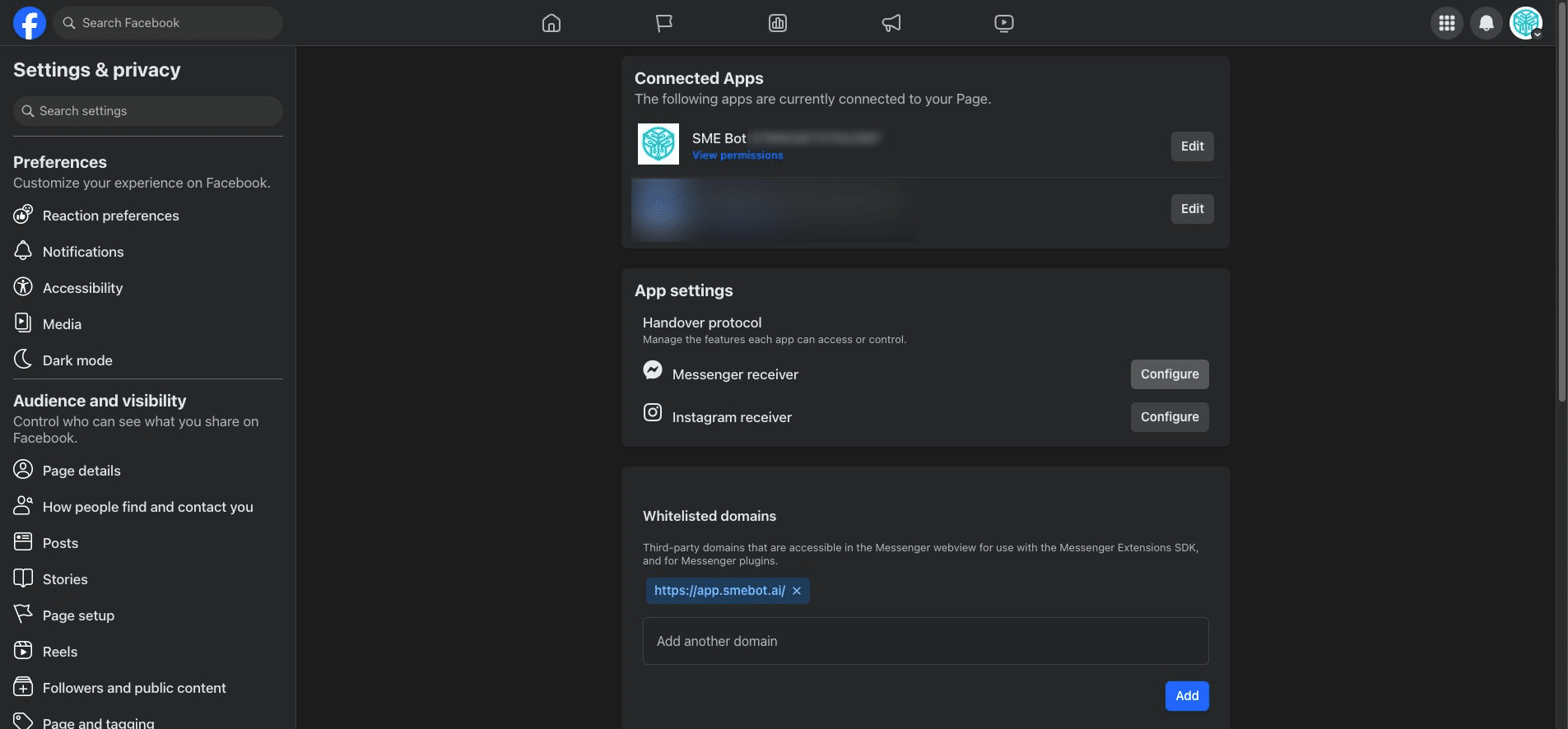
Click "Select"
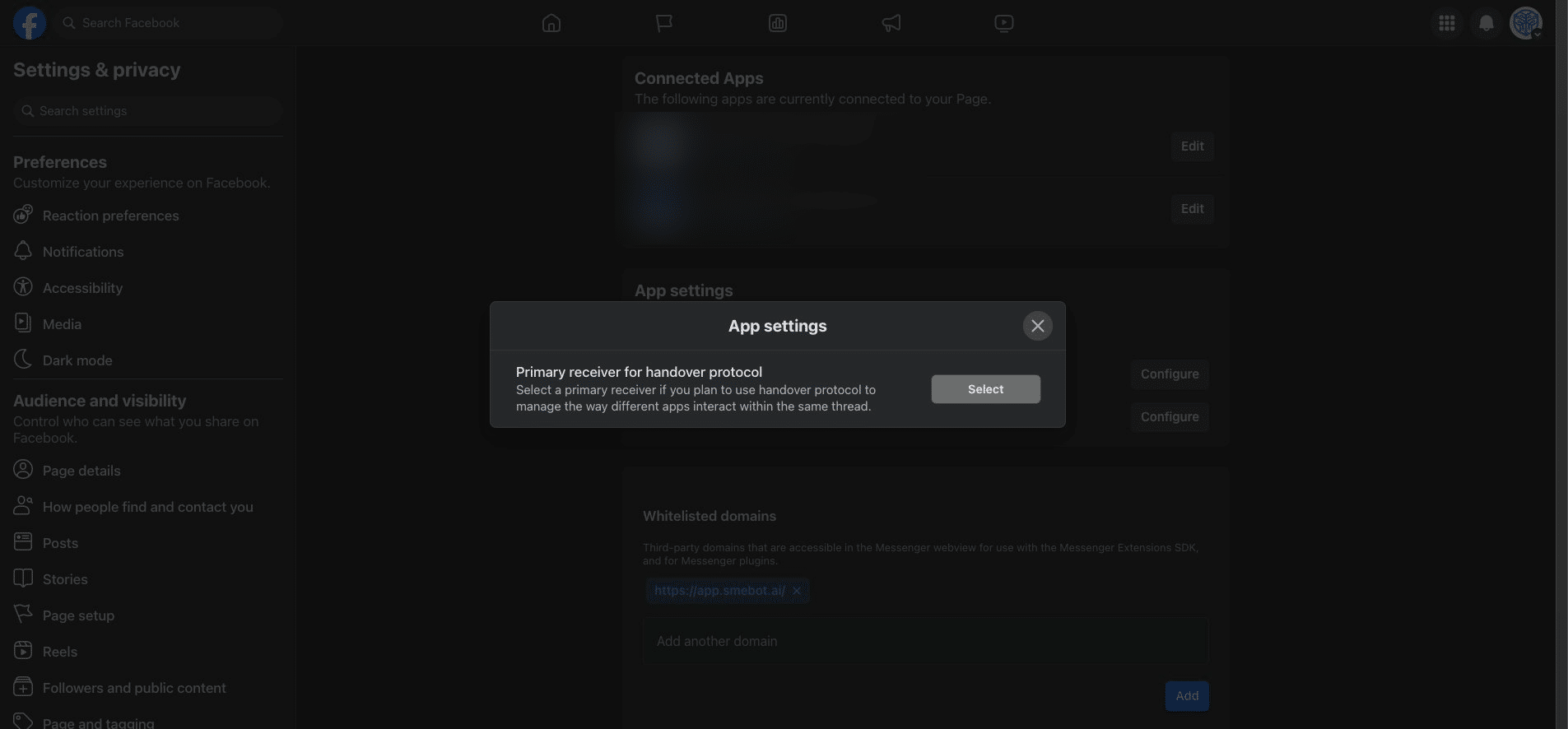
Click "SME Bot"
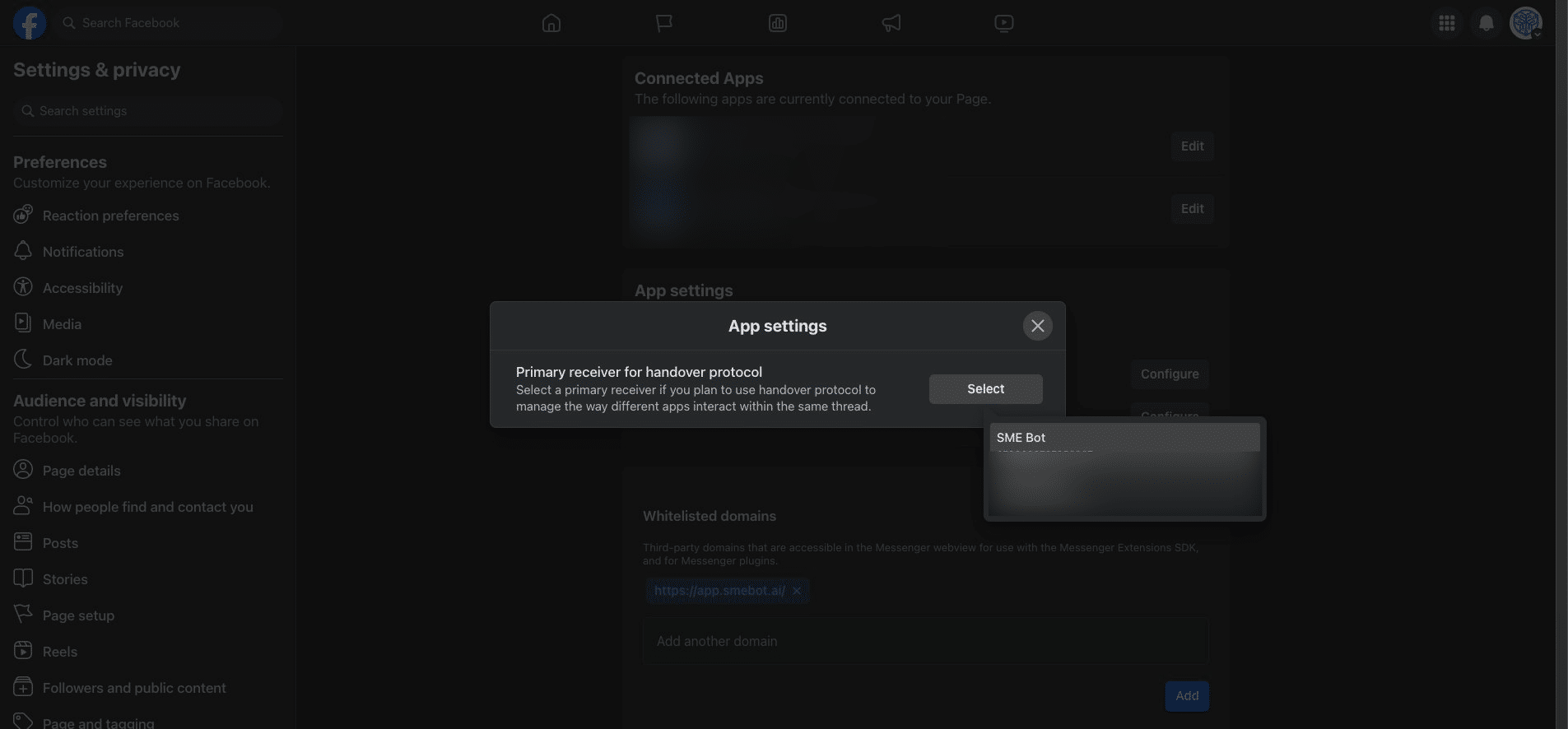
✅ Done! Click "X" icon and you are all set in the Meta Handover Protocol.
Frequently Asked Questions
- What is the handover protocol, and why is it important?
The handover protocol facilitates smooth transitions between automated chatbot responses and live agent interactions, ensuring a seamless user experience.
- What happens if I don't configure the handover protocol correctly?
Improper configuration of the handover protocol may result in disrupted conversations or malfunctioning in your chat, potentially impacting user engagement and satisfaction.
- Can I revert the changes made to the handover protocol settings?
Yes, users can typically revert changes in the same steps to select their preferred handover protocol as needed.