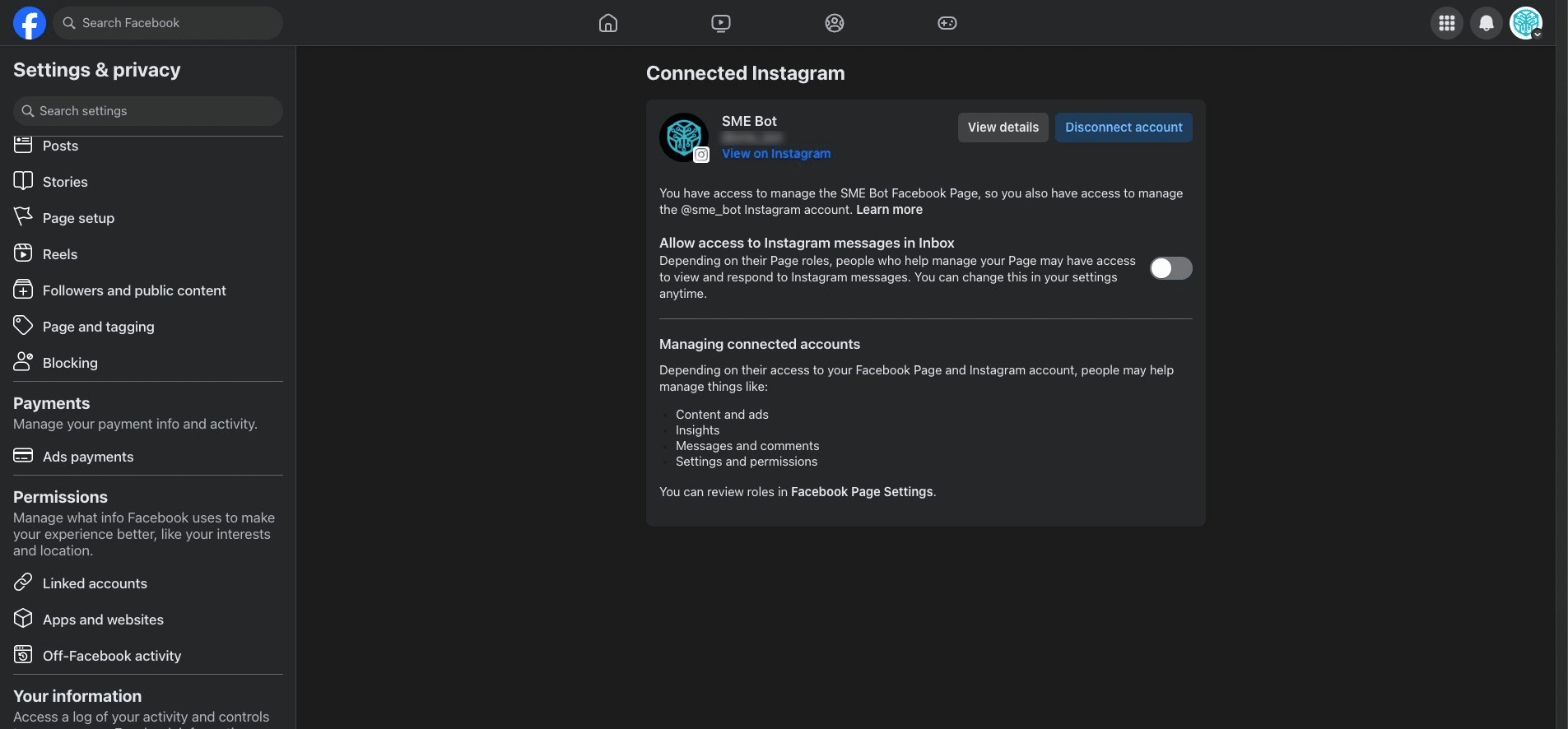
Connect an Instagram account to your Facebook Page
Learn how to connect your Instagram account to your Facebook Page for seamless integration.
💡Pro Tip! Before you begin: You must switch from a personal account to a professional account on Instagram to connect to a Facebook Page (if the Facebook Page is owned in Meta Business Manager). You must have Facebook access to the Page. Learn more about Page access in the new Pages experience.
Navigate to https://www.facebook.com/
Make sure you are at your Facebook Page's profile, click on the Page Profile picture on the top left.
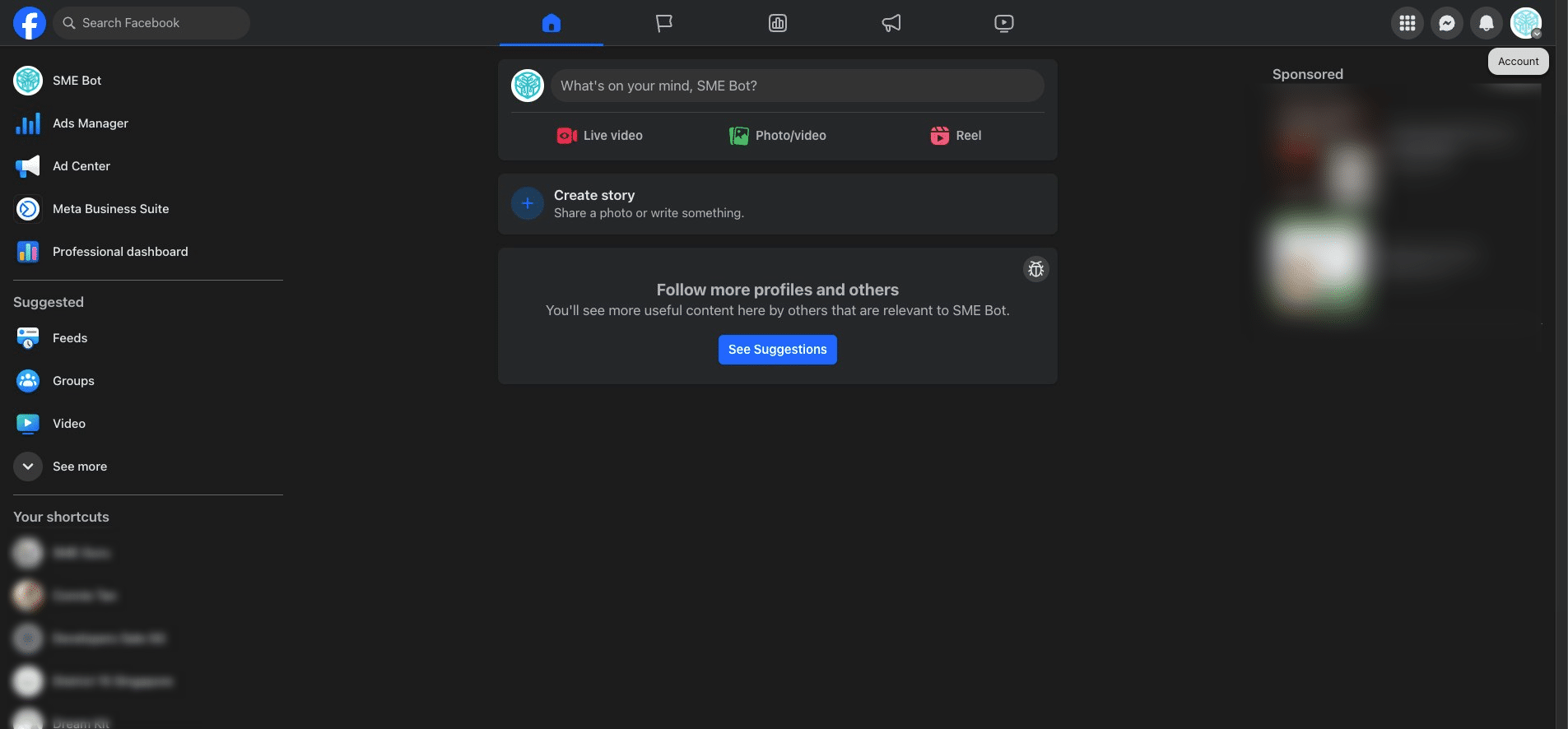

Click "Settings & Privacy"
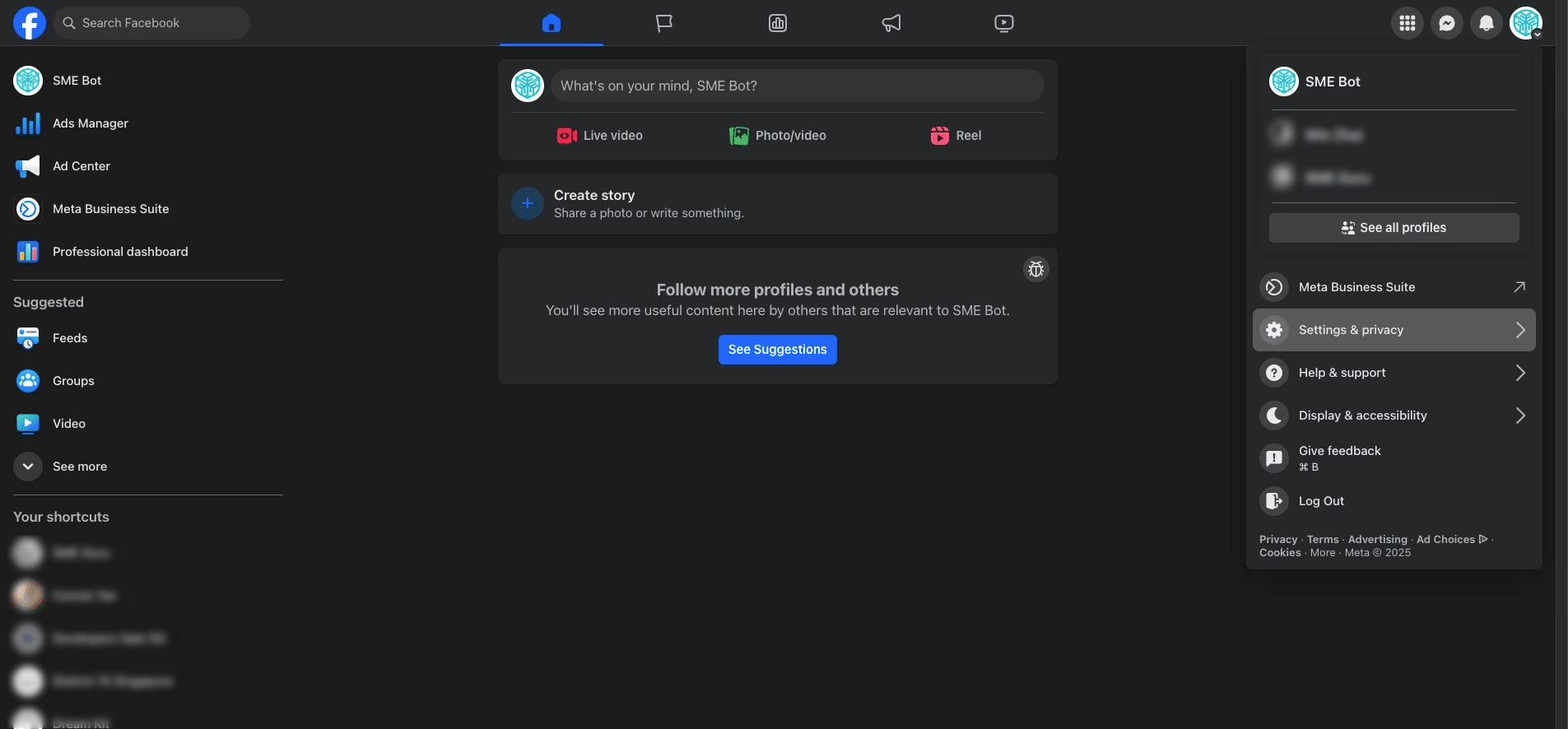
Click "Settings"
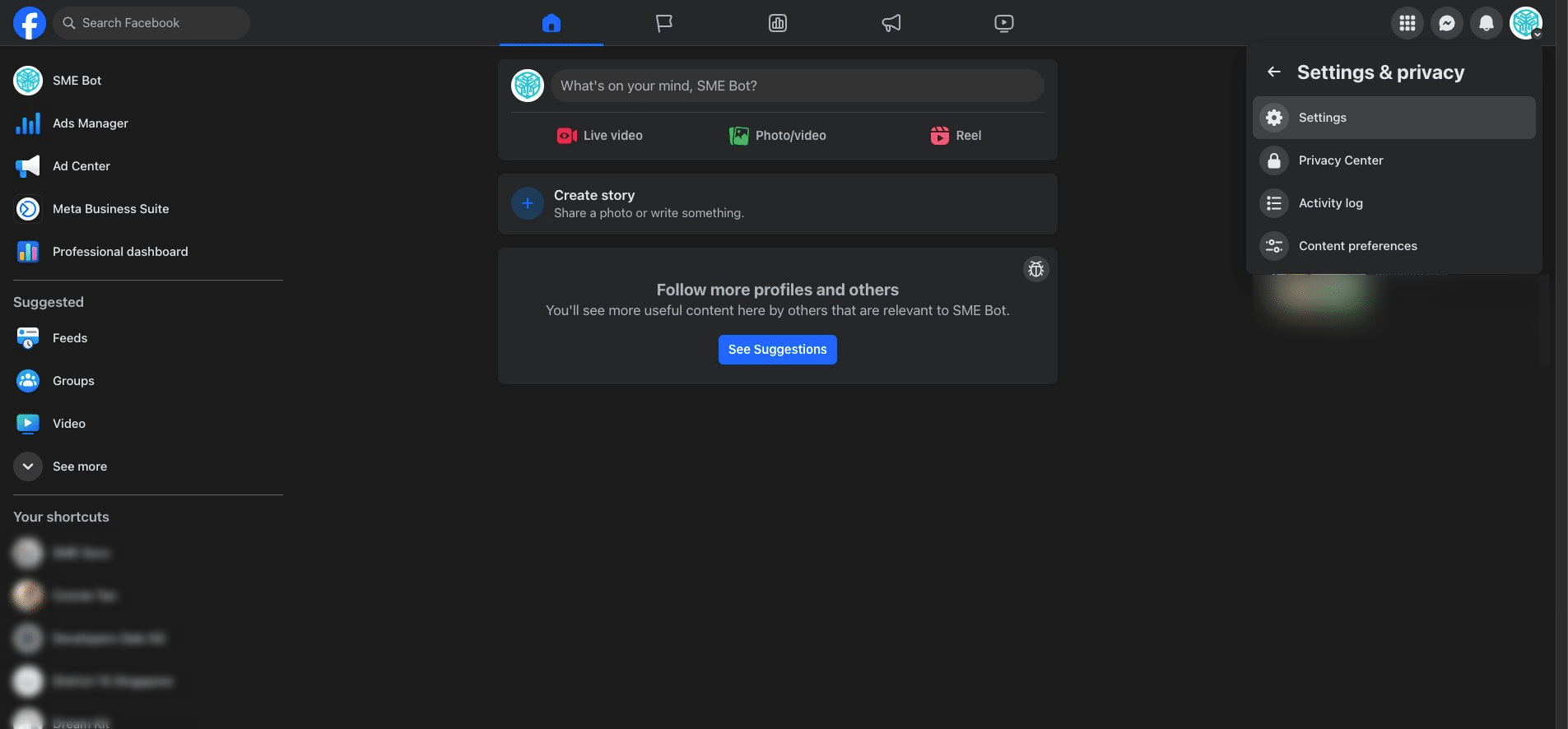
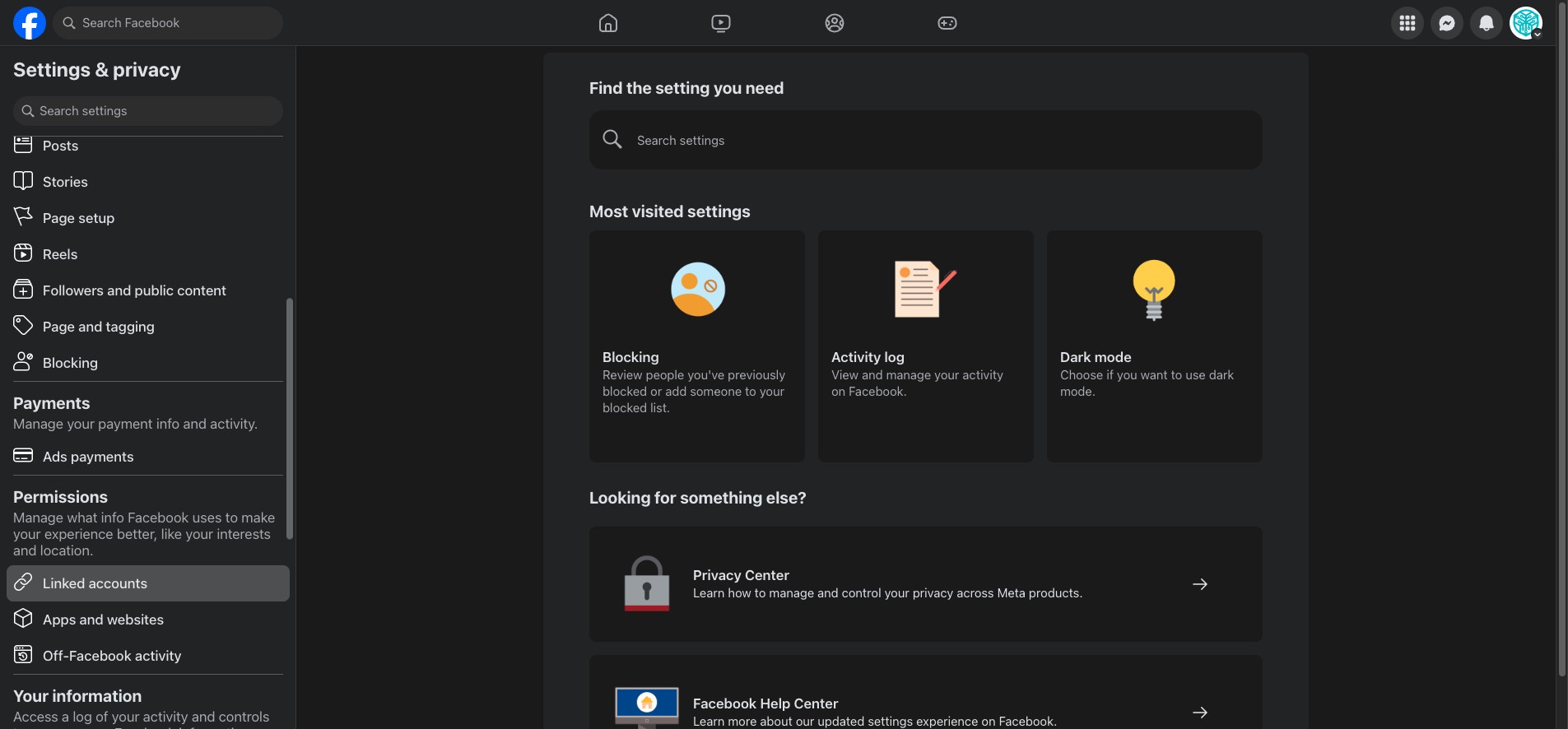
On the left navigation menu, click "Linked accounts"
Click on the Instagram, and connect account, then follow the steps to connect your Facebook Page and Instagram account.
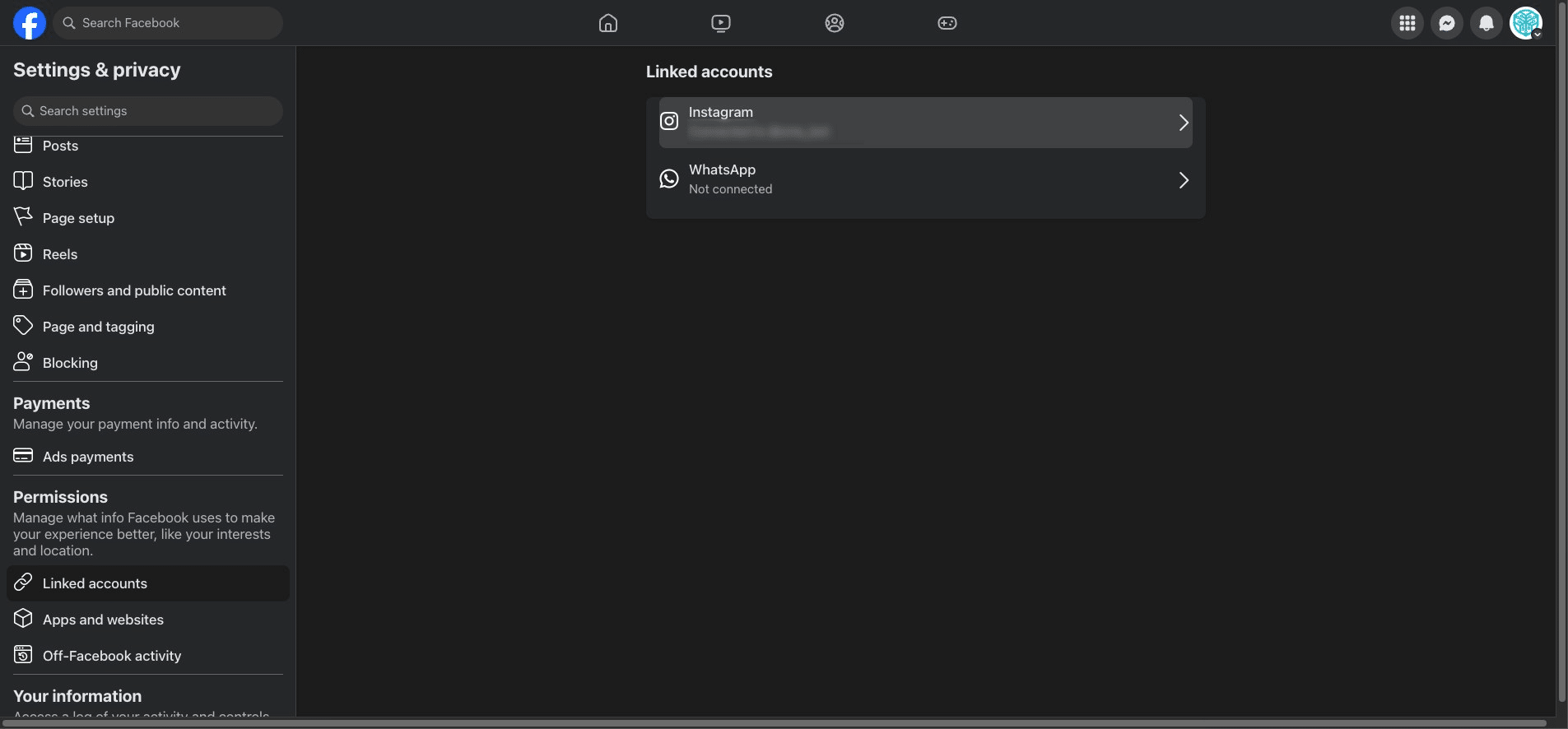
✅ Done! You’ve successfully connect an Instagram account to your Facebook Page. 🚀